- No contract
- needed to pick up the phone
- Estimate
- in writing before the clock starts
- Remote
- first, on site when it needs hands
- 24/7
- a person answers, holidays too
Call, estimate, fix.
- 1
Call the help desk
Tell a person what broke. We ask a few questions and tell you whether it is a remote fix or a visit.
- 2
Written estimate
An hourly rate and an expected time, in writing, before any work starts. If it changes, we stop and tell you.
- 3
Remote or on site
Most fixes start remotely with your permission, in minutes. If it needs hands, an engineer comes to you.
- 4
Done, and documented
You get a note of what was wrong, what we did and what to watch for. No obligation after that.
The usual suspects.
- 01
Computers
Will not boot, slow, infected, blue screens, a disk that is about to go. Windows and Mac.
- 02
Email
Mail not sending, not arriving, landing in spam, or a mailbox that was hacked. Google Workspace, Microsoft 365 and the rest.
- 03
Networks and Wi-Fi
Internet down, Wi-Fi dropping, a printer nobody can find, a router nobody knows the password to.
- 04
Servers
A file server or an application server that stopped. Triage, recovery, and a plan so it does not happen again.
- 05
Backups and recovery
Deleted files, a failed drive, ransomware. We recover what can be recovered and tell you straight about the rest.
- 06
Software and setup
New computers set up, software that stopped working after an update, printers and scanners.
When a plan makes more sense.
Break-fix is honest work and we are glad to do it. It is also the most expensive way to buy IT over a year.
You have called us twice
Two break-fix visits often cost what a quarter on the help desk plan does, and the plan includes the monitoring that would have caught it.
Downtime costs real money
A plan means patches, backups and EDR running before anything breaks, with a 24/7 phone line your staff can call directly.
You want someone accountable
With a plan, ALCO owns your systems: documented, monitored, with a named person who answers.
You are not ready yet
That is fine. Break-fix today, no pressure. The plan is there when you want it.





Frequently asked questions.
Do I need to be a client to call?
No. Anyone can call. We ask for a name, a callback number and a card on file for hourly work, and we send a written estimate before starting.
What does it cost?
An hourly rate with a written estimate up front, remote or on site. We tell you the rate when you call and before any work starts.
How fast can you come out?
Remote help usually starts within minutes. On-site visits in the Treasure Valley are scheduled the same or next business day depending on urgency.
Will you try to sell me a contract?
We will tell you when a plan would have saved you money, once, in writing. Then we leave it with you.
Can you help after hours?
Yes. The help desk is staffed 24 hours a day, every day, holidays included.
Explore ALCO
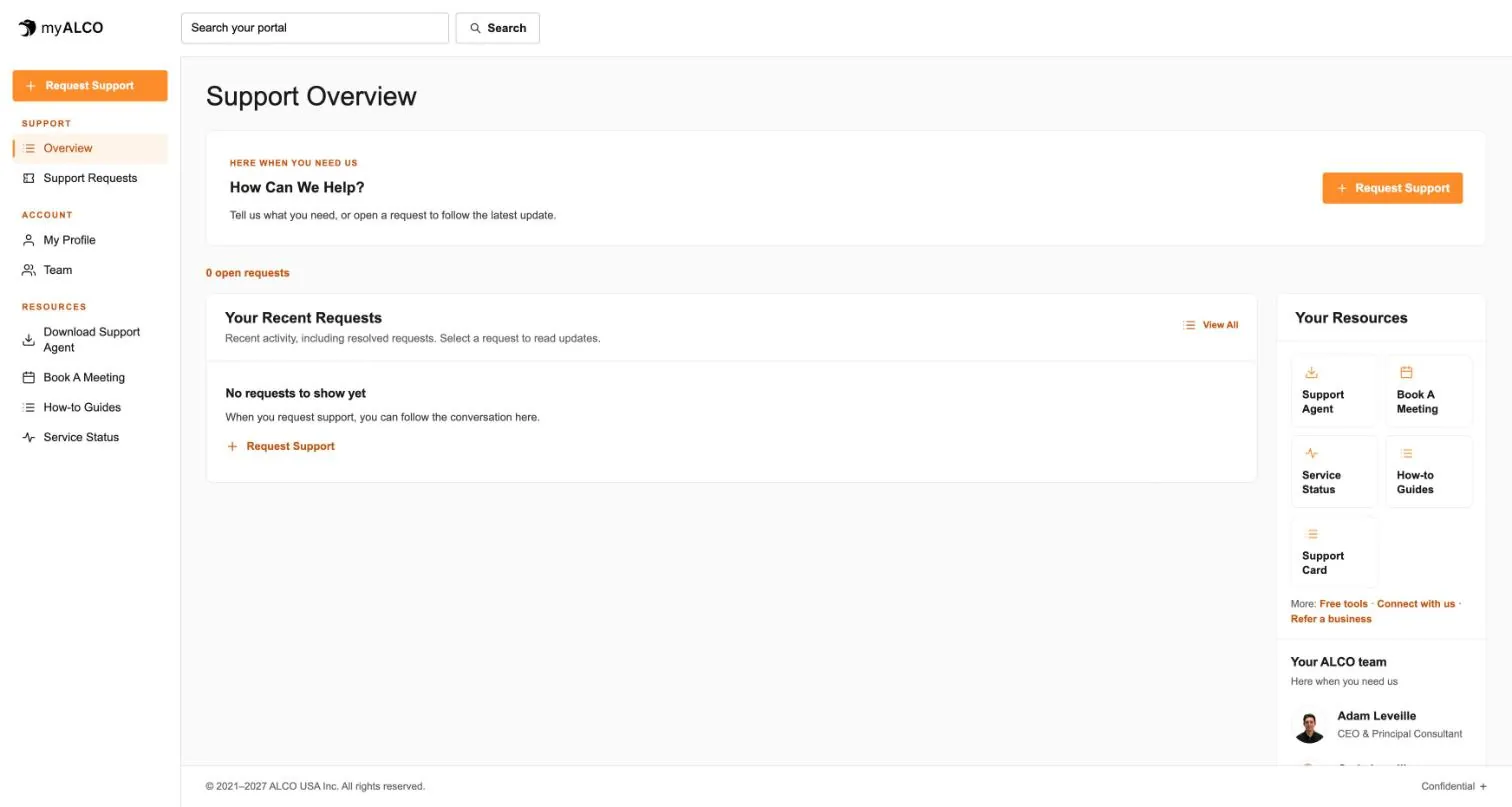
- The client area
Everything ALCO does for you, in one place.
Requests, your team, invoices, documents, shared credentials and sign-in security. One sign-in, any device. Take the tour.
Tour myALCO - New · Our work
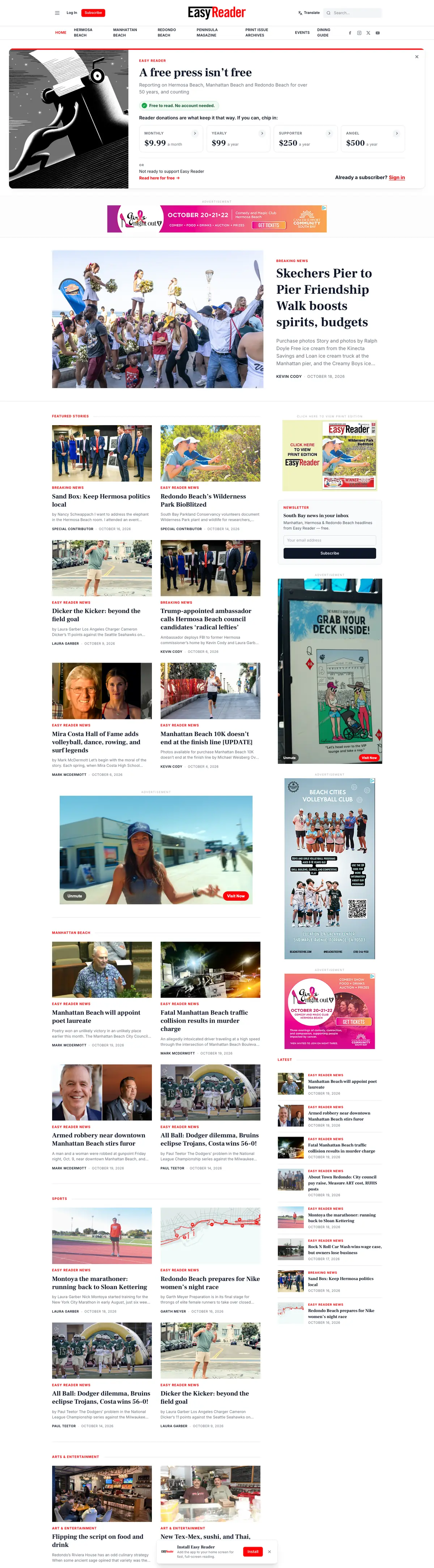
See the sites we have built.
A newspaper rebuilt headless, a parts storefront, two Boise nonprofits, a crochet brand and our own site. Every screenshot is the full page, scrolling live.
Browse our work


Clients we’ve worked with
We’ve worked with businesses, nonprofits and community organizations on managed hosting, website development and everyday IT support. These are some of the current and past clients we’ve supported, each with different systems, priorities and people. Explore their stories to see what working with ALCO looks like.











Business computer troubleshooting with an agreed next step
One workstation is interrupting the team
Record the symptoms, affected applications and recent changes before deciding whether the issue needs remote diagnosis or physical work.
A repair decision involves business data
Backup status, encryption, authorized access and the handling of the device matter before repairs begin.
What to bring to the conversation
Cost depends on diagnostic scope, remote or onsite work, parts, data-handling requirements and scheduling. Confirm approval before parts are ordered or a larger repair begins.
An illustrative engagement
For example, a business might request diagnosis of a computer that cannot connect to a shared application. The agreed scope can separate diagnosis, proposed repair, parts and any follow-up support. This is an illustrative example.
What affects the cost?
The systems and locations included, technical complexity, current condition, access, migration work and continuing support responsibilities all affect scope. We confirm the work and price in a written proposal.
One-time project or ongoing support?
A project defines a particular outcome and handover. Ongoing support defines continuing coverage. We can discuss either, including working alongside an existing IT employee or provider.
Keep the handover clear
Identify owners, authorized access, current contracts, documentation and acceptance checks before changes begin. An introductory conversation helps define the work; it is not a completed assessment.
Provider handover checklistExisting signed agreements control their scope and commitments. ALCO’s published standard terms do not silently replace them. Read the standard service terms, including client-owned credentials, data and transition responsibilities.
Before you choose a service.
Is one-time troubleshooting the same as managed support?
No. A one-time task has an agreed scope; ongoing support defines continuing coverage and responsibilities.
Should we send our password with the enquiry?
No. Describe the issue without credentials or private files. Access arrangements can be agreed through an approved secure method.
Can you quote a final repair price before diagnosing the problem?
The team needs enough information to scope diagnosis and identify likely dependencies. Parts and additional work require separate confirmation where applicable.
Will changing providers disrupt our work?
A transition needs an inventory, approved access, a cutover window, acceptance checks and a fallback plan. We discuss likely interruption and dependencies before agreeing the work; no migration is assumed to be disruption-free.
What if we still have an agreement with another provider?
Check its notice dates, ownership provisions and handover obligations with the appropriate decision-maker. ALCO can help identify technical dependencies, but a new enquiry does not cancel your agreement or authorize removing the current provider.
How do we avoid losing access when switching?
Inventory the domain, email, hosting, backups, licenses and their authorized owners before the handover. Transfer documentation and approved access securely, check critical workflows and obtain approval before removing old accounts or canceling dependent services.
Can remote support work for our business?
We review the systems, users and access needed before agreeing coverage. Many tasks can be handled remotely; hardware or site-specific work may need a scheduled visit. Our headquarters and office are in Caldwell, with technicians serving Idaho and scheduled on-site work within agreed scope.