Google Workspace, run by people who answer.
Gmail, Drive, Calendar, Meet and the admin console behind them. ALCO sets it up, locks it down, keeps it tidy and answers your team's questions, with phones answered 24/7.
 Gmail
 Drive
 Calendar
 Meet
 Docs
 Sheets
 Slides
 Chat
 Admin
 Vault
- 24/7
- phones answered, holidays too
- 2-step
- sign-in on every account we manage
- 1
- accountable admin for your whole tenant
- 0
- licenses paid for seats nobody uses
What we handle.
Everything behind the apps your team opens every morning.
Admin and licensing
We run your admin console: users, groups, aliases, licenses and billing. You never pay for a seat nobody uses.
Onboarding and offboarding
A new hire gets a mailbox, groups, shared drives and a secured device on day one. A leaver is signed out everywhere, mail forwarded and files handed over the same day.
Email that lands
SPF, DKIM and DMARC set up and enforced, to help receiving systems authenticate your mail and reduce spoofing of your domain.
Two-step sign-in
2-step verification on every account, security keys for admins, and alerts when something looks wrong.
Shared drives and permissions
Files live in shared drives the company owns, not in someone's My Drive. We review who can see what.
Backups and retention
Vault retention and independent backups, so a deleted mailbox or file is a request, not a crisis.
Migrations
Moving from Microsoft 365, an old Exchange server, a hosting provider's mailboxes or another Workspace tenant. Mail, calendars, contacts and files, with a switch-over date you choose.
Devices and Chrome
Managed sign-in on company laptops and phones, Chrome policies, and remote wipe for a lost device.
Training and the Tuesday questions
"How do I share this with a client?" "Why did that email bounce?" Your team calls the help desk and gets an answer, not a ticket number.
How it starts.
A short review, the fixes that matter, then we run it.
- 1
Review
We audit the tenant you have: users, security, mail authentication, sharing and licenses. You get a short written report.
- 2
Fix and lock down
The gaps get closed first: 2-step everywhere, DMARC enforced, orphaned accounts cleaned up, backups running.
- 3
Run it
From then on ALCO is your admin. Changes go through the help desk, every one logged in myALCO.
- 4
Answer the phone
Your team calls when something is odd. We fix the cause and tell you what we did.
On the other platform, or thinking about switching?
We support Microsoft 365 too, and we move people both ways.
Mail, calendars, contacts and files migrate on a date you choose, with both systems live until the switch. If you are not sure which platform fits, we will tell you straight, not sell you the bigger one.


Frequently asked questions.
Do we need to move to ALCO hosting to get this?
No. Workspace support stands on its own. Many clients pair it with the help desk plan so the same people look after email and computers.
Can you move us from Microsoft 365?
Yes. Mailboxes, calendars, contacts, OneDrive and SharePoint files move over on a date you pick, with both systems live until the switch. Nobody loses a message.
Who owns the account?
You do. ALCO is an admin on your tenant and the billing can stay in your name. If you ever leave, we hand over the keys and the documentation.
What about our domain and DNS?
We manage DNS for most clients, which is how SPF, DKIM and DMARC stay right. If your domain is elsewhere we work with it.
How fast do you answer?
The help desk is staffed 24 hours a day, every day, holidays included. Call and a person answers.
Explore ALCO
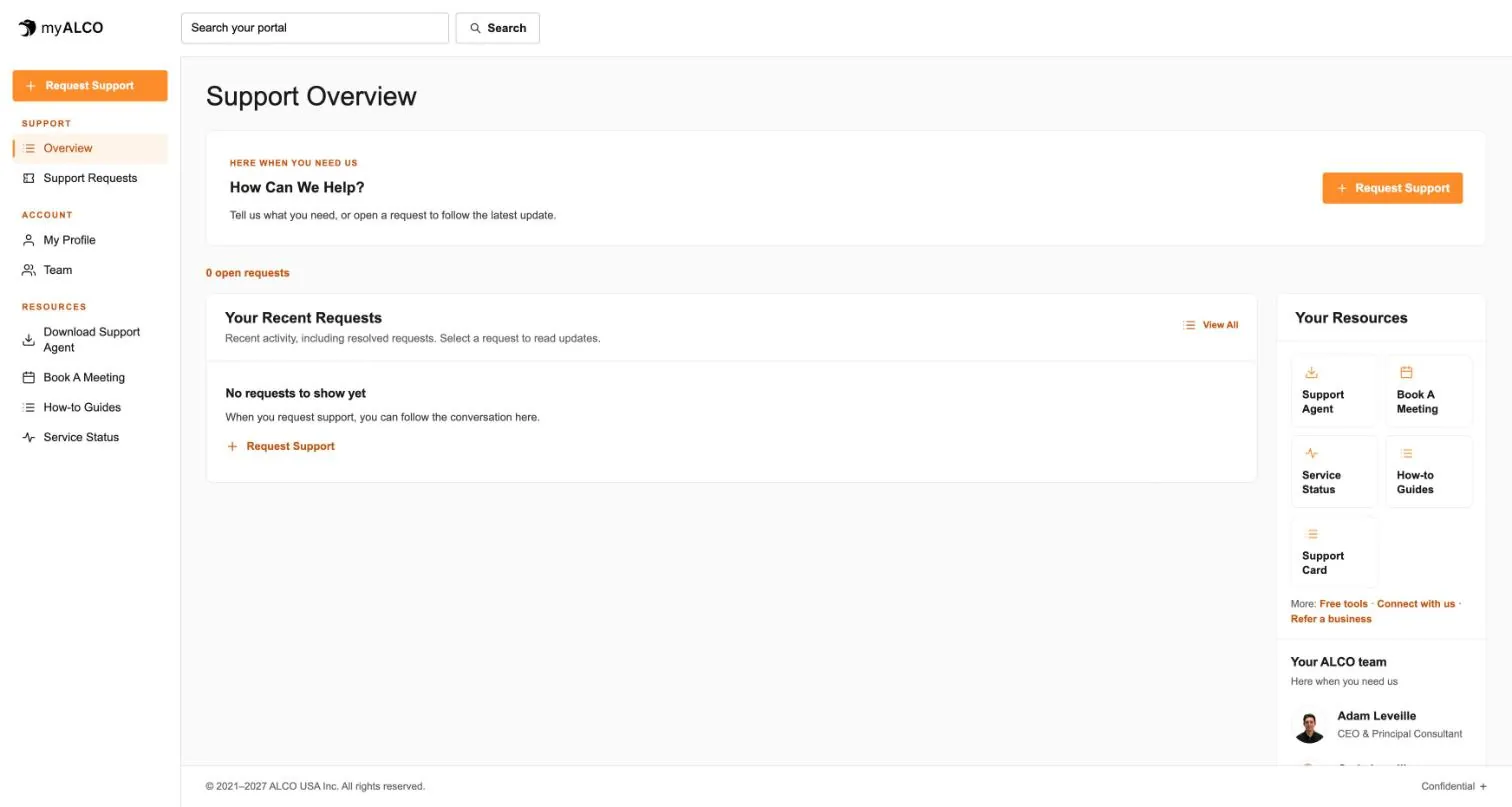
- The client area
Everything ALCO does for you, in one place.
Requests, your team, invoices, documents, shared credentials and sign-in security. One sign-in, any device. Take the tour.
Tour myALCO - New · Our work
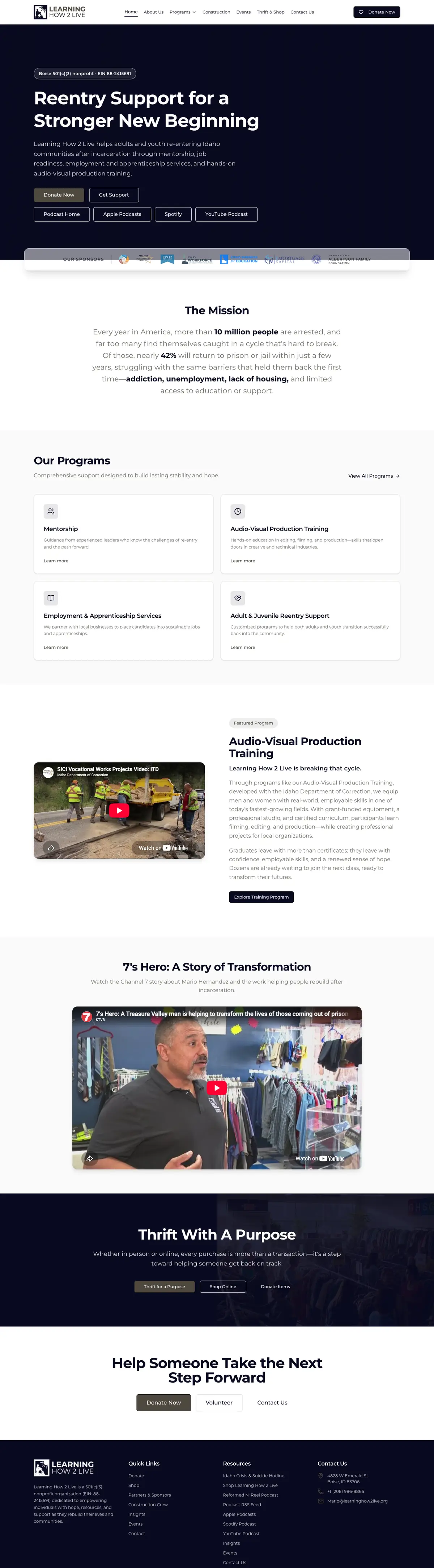
See the sites we have built.
A newspaper rebuilt headless, a parts storefront, two Boise nonprofits, a crochet brand and our own site. Every screenshot is the full page, scrolling live.
Browse our work


Clients we’ve worked with
We’ve worked with businesses, nonprofits and community organizations on managed hosting, website development and everyday IT support. These are some of the current and past clients we’ve supported, each with different systems, priorities and people. Explore their stories to see what working with ALCO looks like.









Put Gmail and business files under clear ownership
Important files depend on one employee account
A file-sharing review should distinguish personal ownership from shared business ownership, including external collaborators and approved access.
People and licenses change without a checklist
Hiring, departures and role changes affect Gmail, Groups, calendars and Drive. Agree the approver and data-handling requirements before removing access.
What to bring to the conversation
Share your user count, domains, Workspace edition and the email or file problems you want resolved. We separate subscriptions, tenant administration, migrations and employee support. Retention, independent backup and third-party integrations need explicit ownership in the scope.
An illustrative engagement
Illustrative example: a company uses Gmail but stores shared business documents in individual Drives. A project could review ownership, plan Shared Drives, confirm access and test representative files before moving them. This is an illustrative scope, not a reported customer result.
What affects the cost?
The systems and locations included, technical complexity, current condition, access, migration work and continuing support responsibilities all affect scope. We confirm the work and price in a written proposal.
One-time project or ongoing support?
A project defines a particular outcome and handover. Ongoing support defines continuing coverage. We can discuss either, including working alongside an existing IT employee or provider.
Keep the handover clear
Identify owners, authorized access, current contracts, documentation and acceptance checks before changes begin. An introductory conversation helps define the work; it is not a completed assessment.
Provider handover checklistExisting signed agreements control their scope and commitments. ALCO’s published standard terms do not silently replace them. Read the standard service terms, including client-owned credentials, data and transition responsibilities.
Before you choose a service.
Can you help with an existing Google Workspace account?
Yes. We review the current administrators, licensing and configuration before proposing changes or a managed administration scope.
Can you move email and files from another platform?
We can assess a migration. Data types, source access, permissions and provider limits determine the approach; representative accounts and files should be checked before cutover.
Does deleting a user safely transfer all their work?
Do not assume it does. File ownership, mail retention and shared resources need an approved departure plan before account removal.
Will changing providers disrupt our work?
A transition needs an inventory, approved access, a cutover window, acceptance checks and a fallback plan. We discuss likely interruption and dependencies before agreeing the work; no migration is assumed to be disruption-free.
What if we still have an agreement with another provider?
Check its notice dates, ownership provisions and handover obligations with the appropriate decision-maker. ALCO can help identify technical dependencies, but a new enquiry does not cancel your agreement or authorize removing the current provider.
How do we avoid losing access when switching?
Inventory the domain, email, hosting, backups, licenses and their authorized owners before the handover. Transfer documentation and approved access securely, check critical workflows and obtain approval before removing old accounts or canceling dependent services.
Can remote support work for our business?
We review the systems, users and access needed before agreeing coverage. Many tasks can be handled remotely; hardware or site-specific work may need a scheduled visit. Our headquarters and office are in Caldwell, with technicians serving Idaho and scheduled on-site work within agreed scope.
Google Workspace administration checklist
Use this with the people authorized to manage your domain, business accounts and shared information.
- Confirm domain ownership, authorized super administrators and recovery contacts. Store recovery information in an approved vault.
- List users, groups, organizational units and licenses. Record who approves new access, role changes and departures.
- Review two-step verification, recovery methods and third-party app access before proposing policy changes.
- Check Gmail routing, forwarding and domain authentication with the mail owner. Preserve legitimate mail paths during changes.
- Identify business-owned Shared Drives and individual-file ownership. Review external sharing and transfer requirements before moving or deleting data.
- Confirm available audit records, retention and independent backup responsibilities. Document changes and test representative user workflows.
Download this checklist (plain text)
Discuss Google Workspace administration · Send your requirements