
Microsoft 365 without the Microsoft runaround.
Exchange, Teams, SharePoint, OneDrive, Entra ID and Intune. ALCO sets it up, secures it, keeps the licenses honest and answers your team's questions, 24/7.
 Outlook
 Teams
Teams OneDrive
 SharePoint
 Word
Word Excel
Excel PowerPoint
 Entra ID
 Intune
 Defender
- 24/7
- help desk, holidays too
- 2-step
- sign-in on every account we manage
- 1
- accountable admin for your whole tenant
- 0
- licenses paid for seats nobody uses
What we handle.
Everything behind the apps your team opens every morning.
Tenant and licensing
We run your Microsoft 365 admin center: users, groups, licenses, billing and the plan mix that actually fits. No paying for E5 where Business Premium does the job.
Onboarding and offboarding
A new hire gets a mailbox, Teams, SharePoint access and an Intune-enrolled device on day one. A leaver is blocked, their mailbox converted and files reassigned the same day.
Exchange that delivers
SPF, DKIM and DMARC set up and enforced, transport rules that make sense, and spoofed mail stopped at the edge.
MFA and conditional access
Multi-factor on every account, conditional access for the risky stuff, and alerts from Defender when something looks wrong.
SharePoint and OneDrive
Company files in SharePoint the company owns, not in a leaver's OneDrive. We review sharing links and permissions.
Backups and retention
Retention policies plus independent backups of Exchange, SharePoint and OneDrive. A deleted mailbox is a request, not a crisis.
Migrations
From Google Workspace, an on-premises Exchange server, a hosting provider's mailboxes or another tenant. Mail, calendars, contacts and files, with a switch-over date you choose.
Devices with Intune
Windows and phones enrolled, policies applied, updates on schedule, and remote wipe for a lost laptop.
Teams, phones and the Tuesday questions
Teams meetings, channels and Teams Phone, plus "why can't I open this file?" answered by a person at the help desk.
How it starts.
A short review, the fixes that matter, then we run it.
- 1
Review
We audit the tenant you have: users, MFA, conditional access, mail authentication, sharing and licenses. You get a short written report.
- 2
Fix and lock down
Gaps closed first: MFA everywhere, DMARC enforced, legacy auth off, orphaned accounts cleaned up, backups running.
- 3
Run it
From then on ALCO is your admin. Changes go through the help desk, every one logged in myALCO.
- 4
Answer the phone
Your team calls when something is odd. We fix the cause and tell you what we did.
SharePoint work is led by David Leveille, external SharePoint consultant, under ALCO’s process.
On the other platform, or thinking about switching?
We support Google Workspace too, and we move people both ways.
Mail, calendars, contacts and files migrate on a date you choose, with both systems live until the switch. If you are not sure which platform fits, we will tell you straight, not sell you the bigger one.




Questions people ask.
Do we need to move to ALCO hosting to get this?
No. Microsoft 365 support stands on its own. Many clients pair it with the help desk plan so the same people look after email and computers.
Can you move us from Google Workspace?
Yes. Gmail, calendars, contacts and Drive files move to Microsoft 365 on a date you pick, with both systems live until the switch. Nobody loses a message.
Who owns the tenant?
You do. ALCO is a global admin on your tenant and billing can stay in your name. If you ever leave, we hand over the keys and the documentation.
Can you buy our licenses?
We can supply licenses through our partner channel or manage the ones you already have. Either way, the count gets reviewed every month.
How fast do you answer?
The help desk is staffed 24 hours a day, every day, holidays included. Call and a person answers.
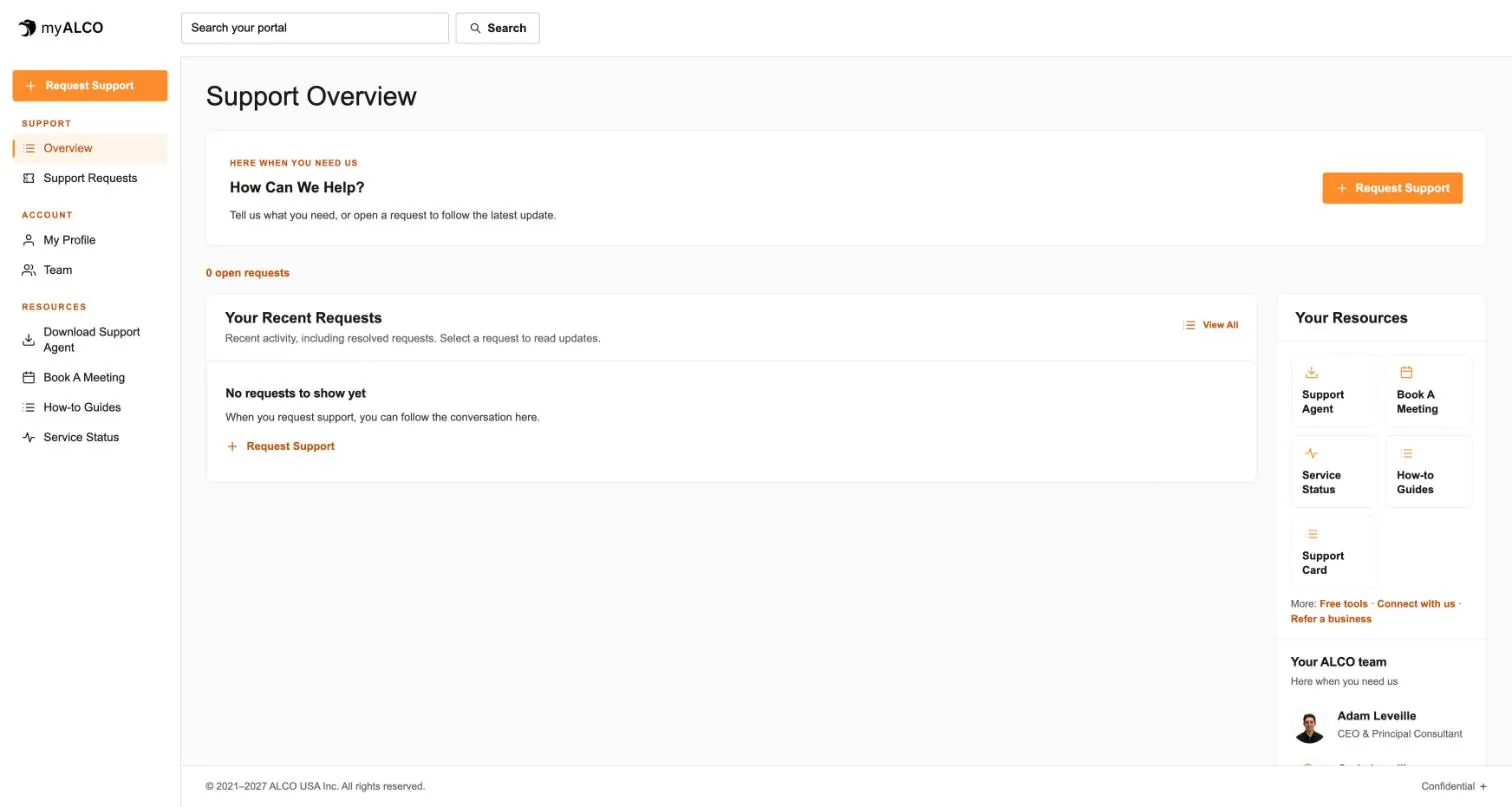
- The client area
Everything ALCO does for you, in one place.
Requests, your team, invoices, documents, shared credentials and sign-in security. One sign-in, any device. Take the tour.
Tour myALCO - New · Our work
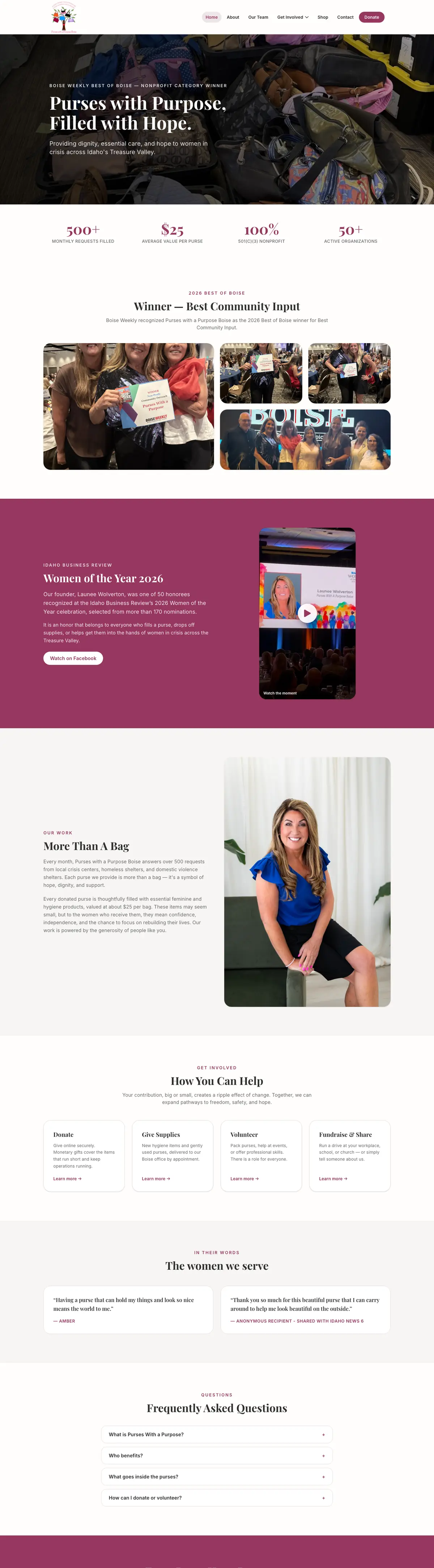
See the sites we have built.
A newspaper rebuilt headless, a parts storefront, two Boise nonprofits and our own site. Every screenshot is the full page, scrolling live.
Browse our work


Clients we’ve worked with
We’ve worked with businesses, nonprofits and community organizations on managed hosting, website development and everyday IT support. These are some of the current and past clients we’ve supported, each with different systems, priorities and people. Explore their stories to see what working with ALCO looks like.











Microsoft, Microsoft 365, Outlook, Teams, OneDrive, SharePoint, Word, Excel, PowerPoint, Microsoft Entra, Intune and Microsoft Defender are trademarks of the Microsoft group of companies. Product names and icons are used to identify the products ALCO supports; no endorsement by Microsoft is implied.