Everything ALCO does for you, in one place.
myALCO is the client area every ALCO customer gets. Request support, follow every update, see your team, your invoices and your documents, and keep your account locked down. One sign-in, on any device.

- 24/7
- help desk behind every request
- 1
- sign-in for support, billing, documents and credentials
- 2
- sign-in steps, so your account stays yours
- 0
- apps to install, it works in any browser
What you can do in myALCO.
Built for the people who run a business, not for IT people. Short words, big buttons, nothing you do not need.
Request support
Pick what you need, say what happened, done. Every update lands in the request so nothing lives in someone's inbox.
Your team
See who on your side has access, who has two-step sign-in on, and who is new or leaving. Add or remove people with one request.
Invoices and quotes
Every invoice and quote ALCO sends you, in one list, with a pay button. No hunting through email for a PDF.
Shared documents
Reports, agreements and files ALCO has shared with you, ready to open. Tap one and read it.
Shared credentials
Logins ALCO holds for you, encrypted, shared person by person. Reveal one when you need it and we log that you did.
Sign-in and security
Password, two-step sign-in by app, text or call, and a list of every device signed in. Sign everything out in one click.
Live service status
Is it everyone or just you? The status page shows every ALCO service, checked every minute, with 20 days of history.
Book a meeting
Pick a time with Adam or Carly straight from the portal. No back and forth.
How-to guides and the support agent
Quick answers to the questions we hear most, a training library, and the remote-support agent for when you want us to just fix it.
A quick tour.
Screens from the demo account, as they look today.
Open it and you know where you stand.
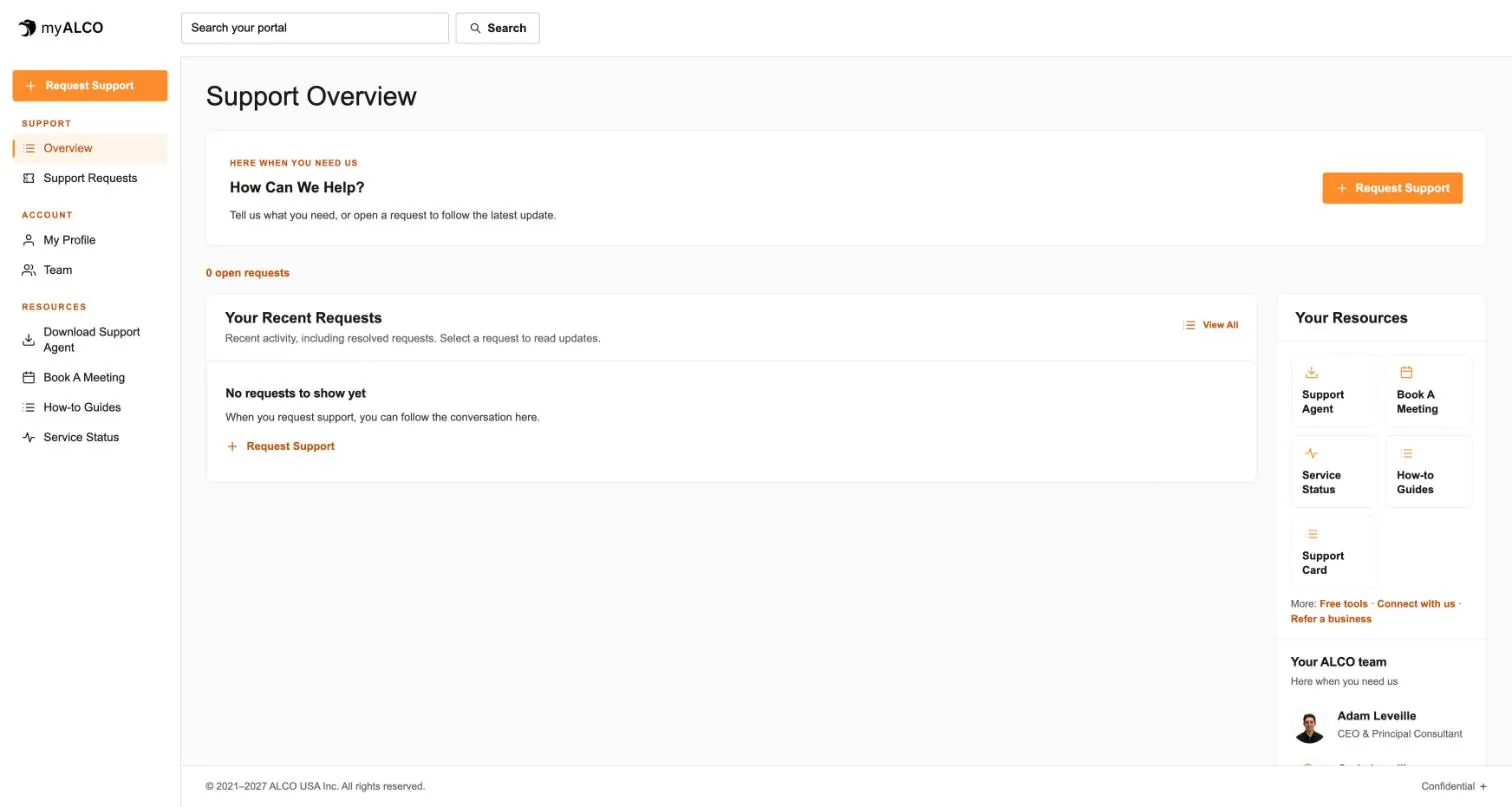
Your open requests, the latest updates and one big button to ask for help. Your resources and the ALCO people looking after you sit on the right.
- Open requests at a glance
- Recent activity, including what we resolved
- Support agent, booking, status and guides one tap away
Ask in plain words. Follow every update.
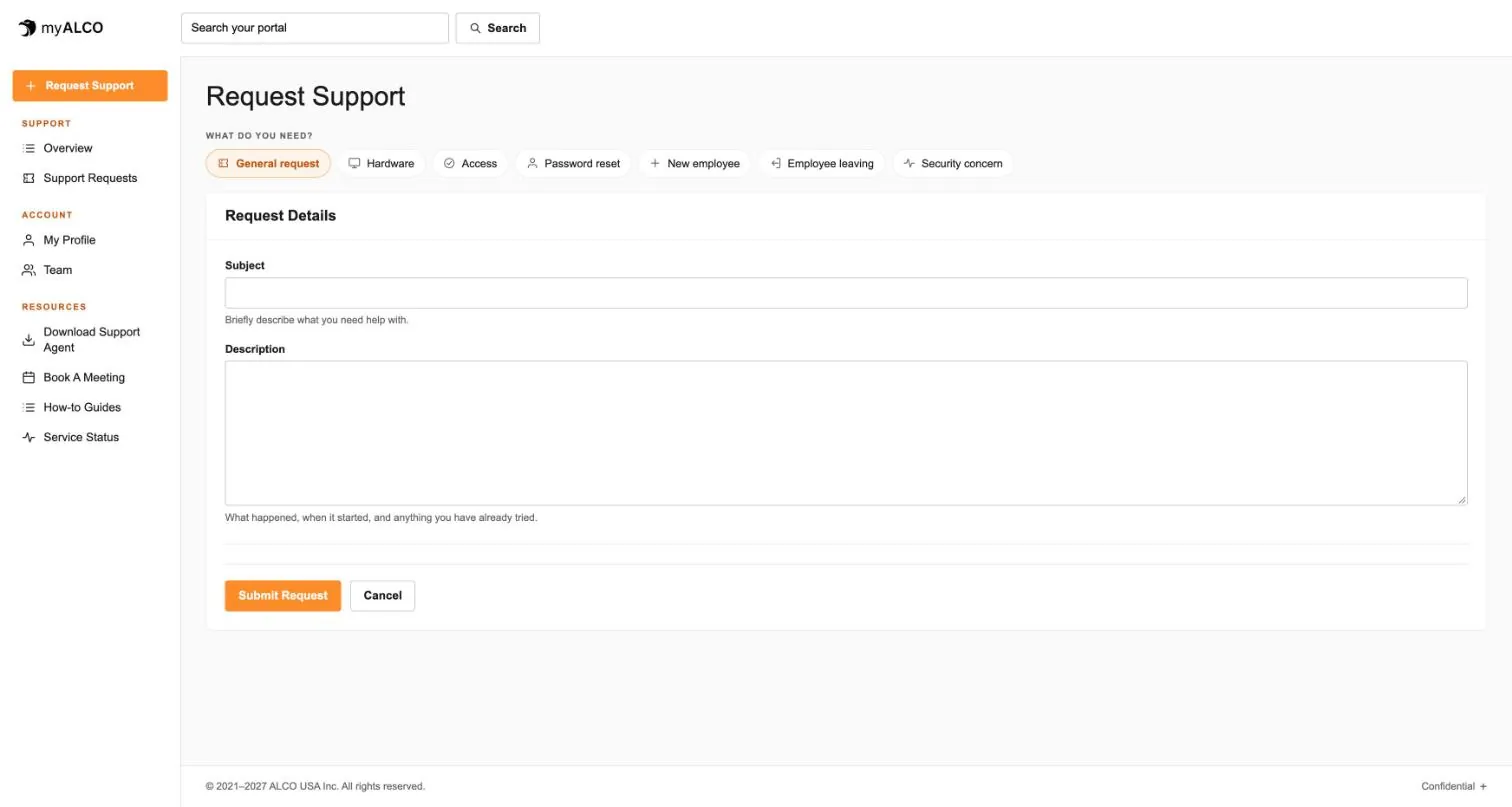
Pick a type, write what happened, send. From then on every reply, every file and every status change lives in the request, so anyone on your team can catch up in a minute.
- General, hardware, access, password reset, new or leaving employee, security concern
- Email replies land in the same thread
- Resolved requests stay there for reference
Your account stays yours.
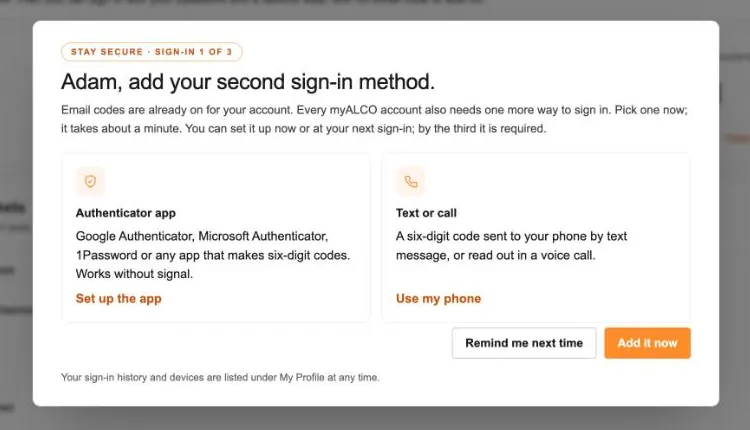
Email codes are on from day one. By your third sign-in you add a second method: an authenticator app, or a code by text or voice call. Client sessions end after 30 days, and you can see every device and sign them all out.
- Password plus two-step sign-in
- App, text or call for the second step
- Sign-in history with device and location
Is it down, or is it just you?
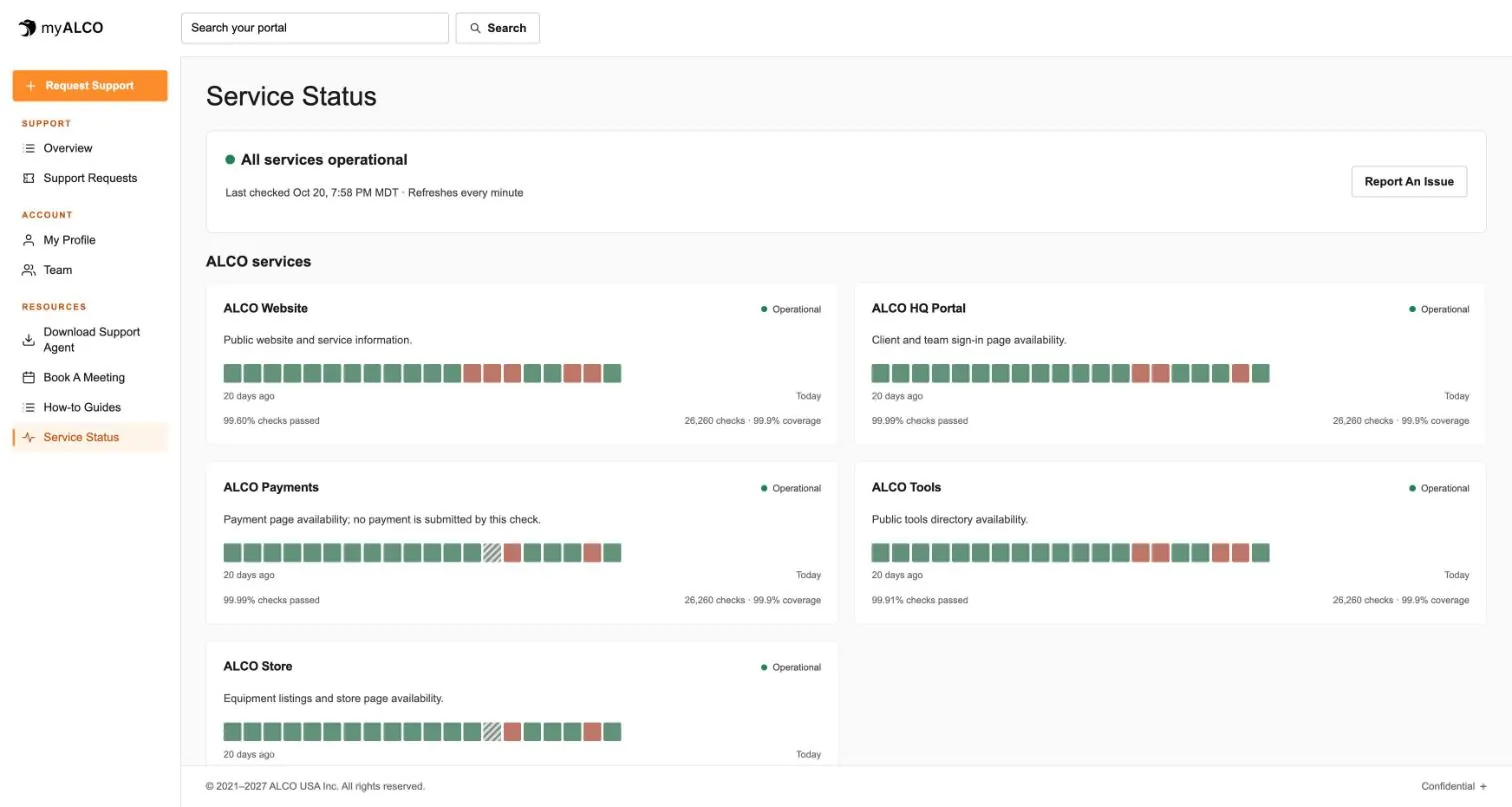
Every ALCO service, checked every minute, with 20 days of history on the page. If something is wrong you will see it here before you call, and a Report an issue button sits right beside it.
- Website, portal, payments, tools and store
- Checks passed and coverage for each
- Refreshes on its own
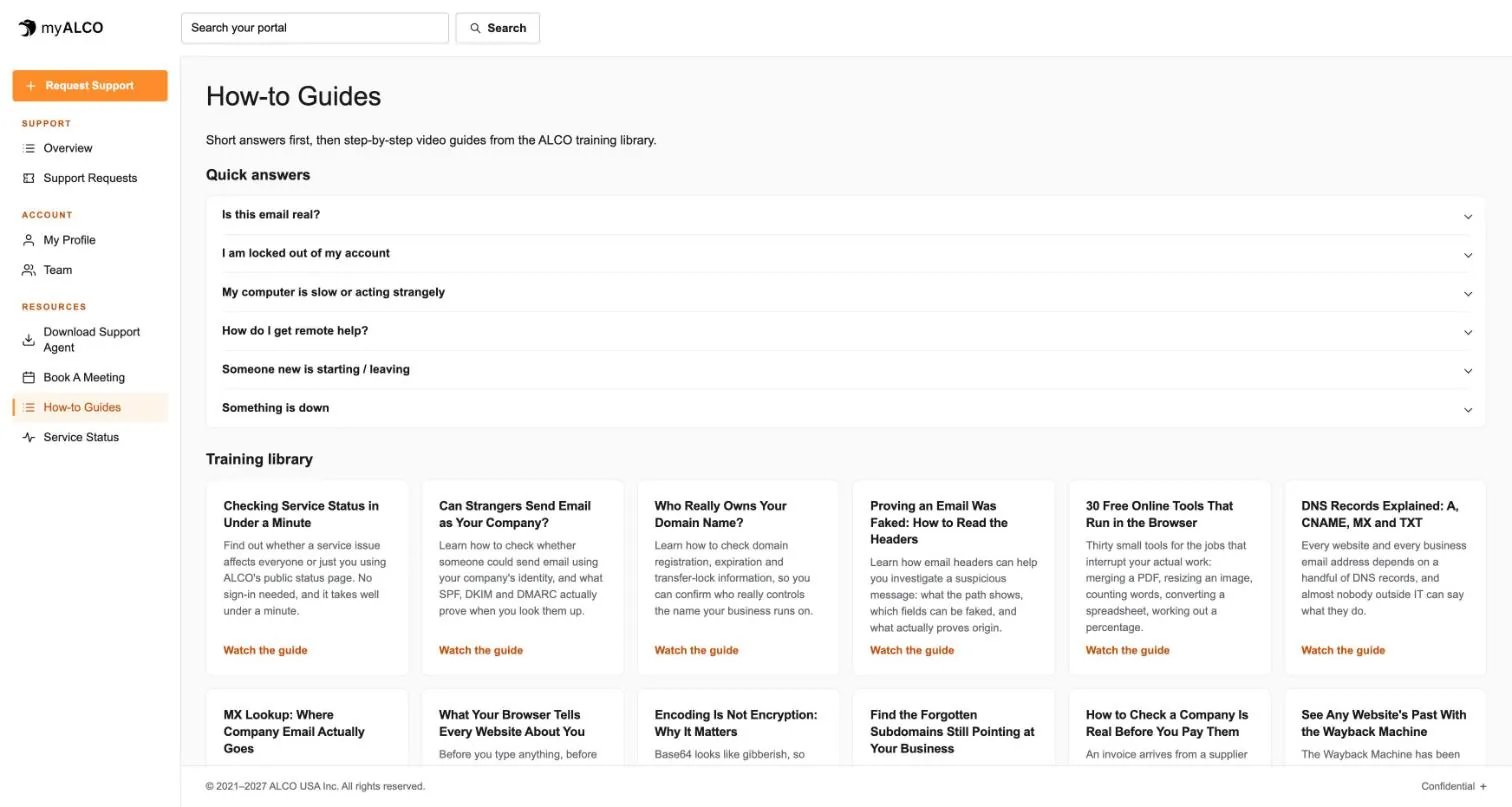
Short answers first. Then the full guide.
Is this email real? Am I locked out? Is my computer slow or acting strangely? The quick answers are a tap away, and the training library behind them is the same one our own team uses.
- Quick answers to the questions we hear most
- Video guides from the ALCO training library
- Free tools for the jobs that interrupt your day
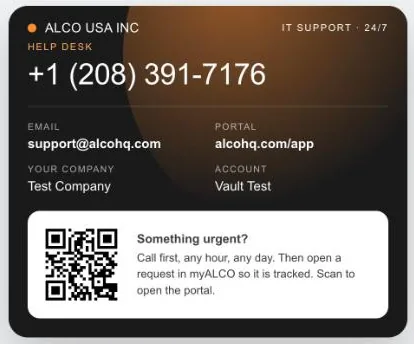
The help desk, on your phone's home screen.
Every client gets a support card: the help desk number, email and portal link, with a QR code that opens myALCO. Add it to your home screen or save it to contacts and it is there when something breaks.
- Works on iPhone and Android
- Shows your company and account
- Call first, any hour, any day
Why clients like it.
Nothing to install
It is a website. Phone, tablet, laptop, any browser. Add it to your home screen if you like.
Made for non-IT people
Short words, big buttons and only the things you need. We hide the knobs our own team uses.
Everything is tracked
Every request, reply, invoice, document and credential reveal is logged. Nothing gets lost in an inbox.
Your whole team
Everyone at your company who needs access gets their own sign-in, with the same two-step protection.
Real people behind it
Every request goes to the ALCO help desk, 24/7, holidays included. The portal is how you reach us, not a wall between us.
Built by ALCO, hosted by ALCO
myALCO runs on the same infrastructure we host client sites on. See how it is built.
Clients we’ve worked with
We’ve worked with businesses, nonprofits and community organizations on managed hosting, website development and everyday IT support. These are some of the current and past clients we’ve supported, each with different systems, priorities and people. Explore their stories to see what working with ALCO looks like.