- 24/7
- automated acknowledgements and status notices
- 100%
- of its actions written to the request
- 1
- human accountable for everything it does
- 0
- decisions, calls or purchases made for you
What Service Daemon is.
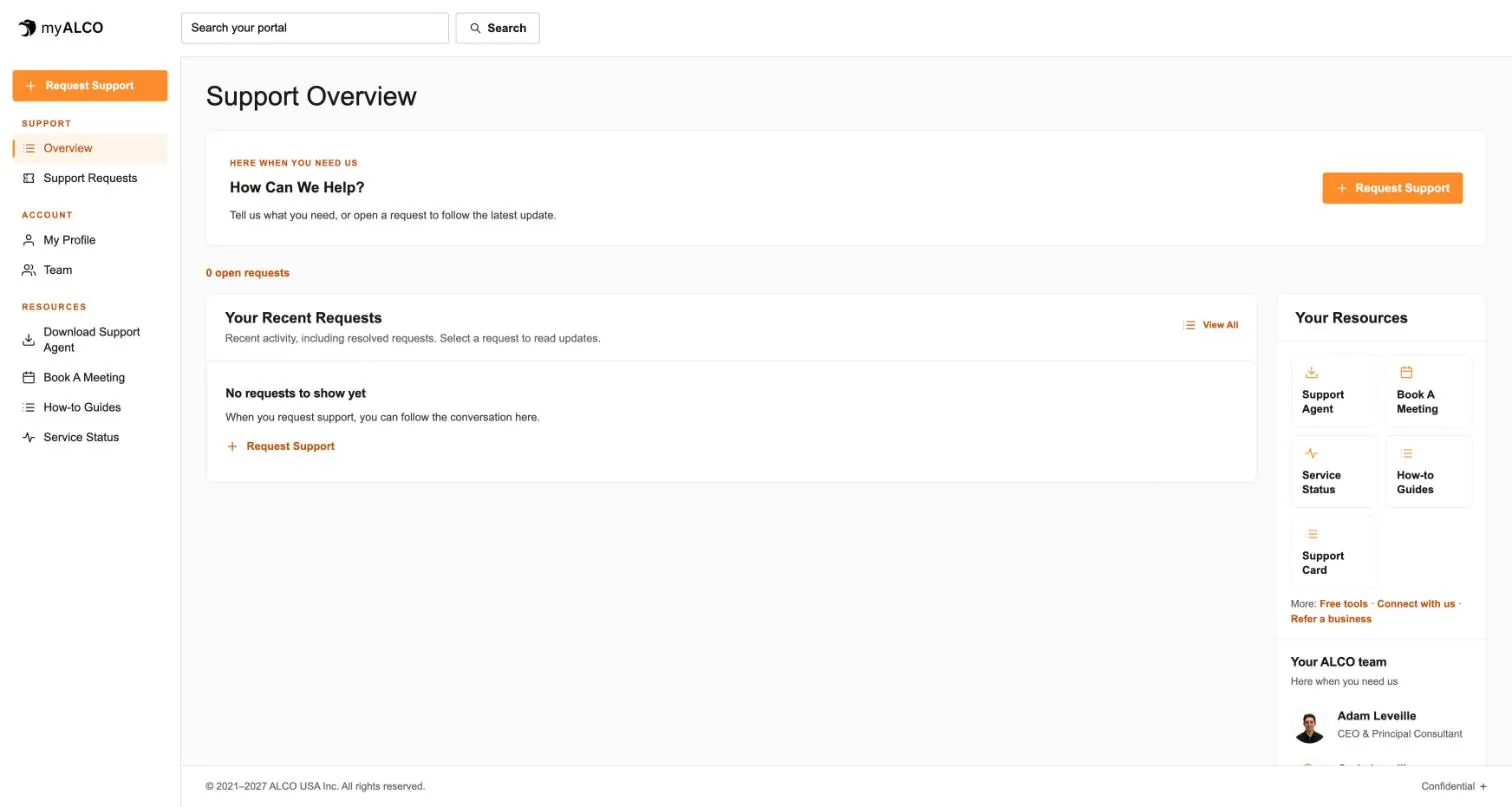
Service Daemon is ALCO’s automated system. It is the sender behind the automated messages you get from noreply@alcohq.com, such as the note that says your request has arrived, a status notice or a closing summary. In myALCO it is the shared service account that routine, automated steps are recorded under, so the timeline of a request shows exactly which steps a program did and which steps a person did.
The name is an old computing word. A daemon is a background program that waits for work and does it quietly. That is all Service Daemon is: software, run and reviewed by ALCO, under the authority of Adam Leveille, ALCO’s founder and President. It has no opinions, no title beyond “automated system” and no seat at the table.
ALCO is a small, family-run company and we do not lean on AI much in-house. People answer the phone, visit your office, fix the problem and decide what to do. Where AI helps with a small, minor job, such as tidying a draft, tagging a new request or running a routine check, that job runs under Service Daemon, stays inside clear limits and is logged in the request for a person to see.
What it does.
Small, routine, repeatable jobs. Nothing that needs judgement.
- 01
Automated updates
Acknowledges a new request, confirms a booking, sends a closing summary. The notices that keep you informed without a person typing each one.
- 02
Status notices
Service status changes and planned maintenance windows go out on time, day or night, from the same sender every time.
- 03
First-pass triage
Reads a new request, tags it, checks the history and puts it in the right queue so the right person sees it first.
- 04
Drafting
Prepares a first draft of a reply or a summary. A person reads it, changes it and sends it under their own name, or throws it away.
- 05
Routine checks
Confirms that backups ran, monitors reported in and updates applied, and raises a request for a person when something did not.
- 06
Record keeping
Writes every one of its own actions to the request, with a time and a reason, so there is never a step nobody can account for.
A request, step by step.
Where the daemon helps, where a person takes over, and how you can tell.
- You
- Service Daemon
- A person at ALCO
You
You send a request.
Email, a myALCO ticket or a call to the help desk. A call is answered by a person; the rest of the steps are the same.
Service Daemon
It opens the request and tells you so.
You get an acknowledgement from noreply@alcohq.com with the request number. The request now has a timeline, and this is its first line.
Service Daemon
It tags and routes.
Priority, category and your history are attached, and the request lands in the right queue. If a draft reply is useful, it writes one and marks it as a draft.
A person at ALCO
Carly or an engineer picks it up.
They read what the daemon wrote, call or message you if they need more, and decide what happens next. From here the work is theirs.
A person at ALCO
They do the work and confirm it.
The fix, the visit, the change: done by a person, checked by a person, written up in their own words.
Service Daemon
It sends the closing summary.
You get a note saying what was done and by whom. Everything above is in the request, in order, for as long as you are a client.
What it never does.
The limits are the point. They are fixed, and a person checks them.
No onsite visits
If someone turns up at your office from ALCO, it is a person you can shake hands with.
No phone calls
It does not call you, and it does not answer the help desk line. People do.
No money
No quotes, no purchases, no invoices, no payment changes. Anything financial is a person’s decision and a person’s signature.
No decisions a human should make
Access changes, security settings, closing an account, anything with judgement in it: it hands these to a person and waits.
No pretending
It is never presented as a member of staff. The sender, the signature and the myALCO timeline all say it is an automated system.
Nothing off the record
It cannot act without writing the action to the request. If it is not in the timeline, it did not happen.
When a request needs a person, Service Daemon says so in the request and leaves it with one. It does not guess, and it does not quietly carry on.
How you can tell.
Three places it is always labelled.
The sender
Automated messages come from Service Daemon <noreply@alcohq.com>. A person at ALCO writes to you from their own address and name.
The signature
Its signature carries the title AUTOMATED SYSTEM. A person at ALCO signs with their own name and their own title. No one at ALCO signs as the daemon.
The myALCO timeline
Every entry in a request names who made it. Steps by Service Daemon are shown as the service account, next to the people who worked on it.
Why it is good for you.
Speed
Your request is acknowledged within seconds and in the right queue within minutes, so the person who picks it up starts with the facts, not a blank page.
24/7 coverage
Notices go out at 2 a.m. on a holiday just as they do at 2 p.m. on a Tuesday. The ALCO help desk is staffed around the clock as well, holidays included.
A human, always accountable
Adam Leveille answers for everything Service Daemon does. Every action is logged, every limit is fixed, and you can ask us at any time who did what.
Questions people ask.
Is Service Daemon a person?
No. It is software run by ALCO. It is never given a human name, a photo or a job title other than automated system.
Does AI run my support?
No. People do. ALCO does not use AI much in-house. Where it helps with something small, such as a draft, a tag or a routine check, that step runs under Service Daemon, within fixed limits, and a person reviews the result.
Who is responsible for what it does?
Adam Leveille, ALCO’s founder and President. The daemon acts under his authority and within limits he sets.
Can I see what it did on my request?
Yes. Every action is written to the request timeline in myALCO with a time and a reason, alongside the entries from the people who worked on it.
What if it gets something wrong?
Tell us, by replying in myALCO, calling the help desk or emailing info@alcohq.com. A person looks at it, fixes it and the correction goes on the record too.
How do I reach a person instead?
Call +1 (208) 391-7176 any time, write to info@alcohq.com, use myALCO or book a call. Every automated notice is a step in a request that a person owns.
- The client area
Everything ALCO does for you, in one place.
Requests, your team, invoices, documents, shared credentials and sign-in security. One sign-in, any device. Take the tour.
Tour myALCO - New · Our work
See the sites we have built.
A newspaper rebuilt headless, a parts storefront, two Boise nonprofits and our own site. Every screenshot is the full page, scrolling live.
Browse our work